
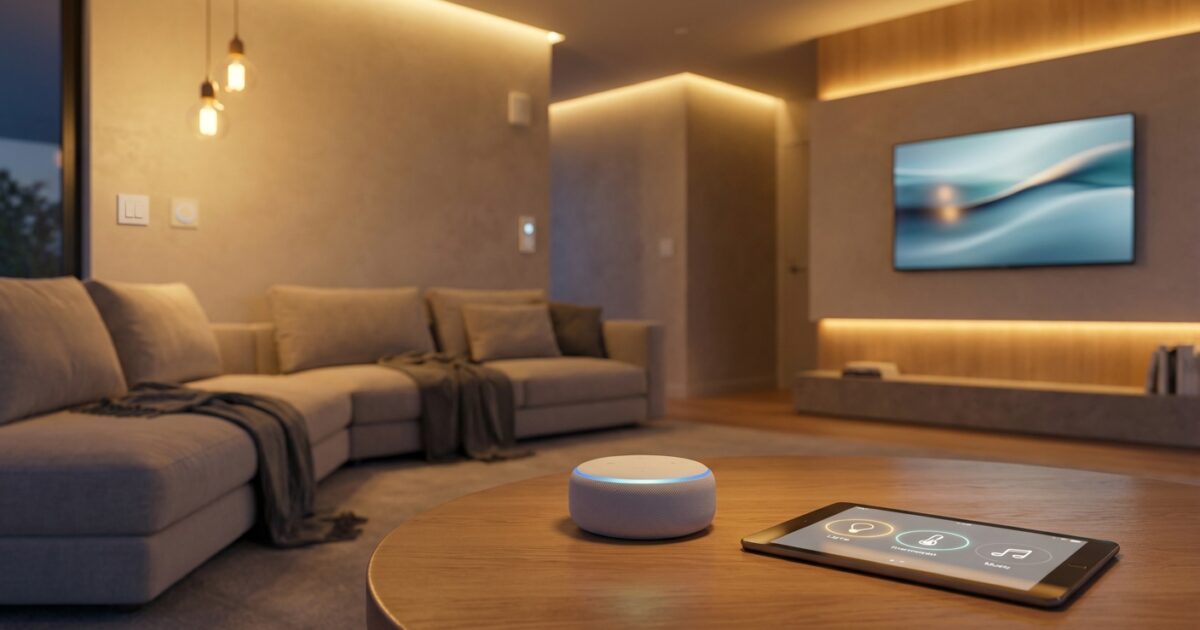
Your new home represents endless possibilities, and smart home voice control can transform how you interact with your living space. Home Assistant, combined with voice assistants, offers you unprecedented control over your home’s lighting, climate, security, and entertainment systems—all through simple voice commands.
Understanding Home Assistant and Voice Control
Home Assistant is an open-source home automation platform that runs locally on your network, giving you complete control over your smart devices without relying on cloud services. Unlike commercial solutions that send your data to remote servers, Home Assistant processes everything within your home, ensuring your privacy while providing lightning-fast response times.
Voice control serves as the natural interface between you and your automated home. Instead of fumbling for smartphone apps or physical switches, you can simply speak your intentions. Whether you’re carrying groceries through the front door or settling into bed, voice commands provide hands-free convenience that makes smart home technology truly practical.
Voice Assistant Options for Your Smart Home
You have several voice assistant options that integrate seamlessly with Home Assistant:
- Local voice assistants: Home Assistant’s built-in voice processing keeps all commands within your network, offering superior privacy and reliability
- Ava for Android users: This specialized assistant bridges Android devices with home automation systems, providing intuitive voice control tailored for smart home management
- Popular commercial assistants: Amazon Alexa and Google Assistant can connect to Home Assistant through integrations, though they process commands through cloud services
- Dedicated hardware solutions: Purpose-built voice control devices designed specifically for home automation offer optimized performance and reduced latency
Local vs. Cloud-Based Voice Control
The choice between local and cloud-based voice processing significantly impacts your smart home experience. Local voice control through Home Assistant keeps all your voice commands and automation logic within your home network. This approach ensures your conversations remain private, provides instant response times regardless of internet connectivity, and eliminates concerns about service outages affecting your home controls.
Cloud-based solutions route your voice commands through remote servers for processing. While these systems often offer more sophisticated natural language understanding, they introduce privacy considerations and dependency on internet connectivity. You’ll need to weigh convenience against control when making this decision.
For new homeowners concerned about privacy and reliability, local voice control offers compelling advantages. Your home automation continues functioning even during internet outages, and you maintain complete ownership of your voice data and usage patterns.
Getting Started with Home Assistant
Setting up Home Assistant requires minimal technical expertise, though you’ll benefit from some basic networking knowledge. You can run Home Assistant on dedicated hardware like a Raspberry Pi, an old computer, or specialized home automation hubs. The installation process involves downloading the Home Assistant operating system image and writing it to your chosen hardware.
Once installed, Home Assistant automatically discovers many smart devices on your network. You’ll access the system through a web interface that allows you to configure devices, create automations, and manage voice control settings. The initial setup wizard guides you through essential configurations, making the process straightforward for beginners.
Your Home Assistant installation becomes the central hub for all smart home activities. It communicates with devices using various protocols including Wi-Fi, Zigbee, Z-Wave, and Bluetooth, creating a unified control system regardless of manufacturer differences.
Compatible Smart Home Devices
Home Assistant supports thousands of devices from hundreds of manufacturers, giving you incredible flexibility in building your smart home ecosystem. Popular device categories include:
Lighting Systems
Smart bulbs, switches, and dimmers from brands like Philips Hue, LIFX, and Lutron integrate seamlessly. You can create lighting scenes, schedule automatic adjustments, and control individual fixtures or entire rooms through voice commands.
Climate Control
Smart thermostats, including models from Nest, Ecobee, and Honeywell, allow voice-controlled temperature adjustments and scheduling. You can create complex climate automations that respond to occupancy, weather conditions, and daily routines.
Security and Monitoring
Security cameras, door locks, motion sensors, and alarm systems provide comprehensive home protection. Voice control enables quick status checks and system management without navigating multiple apps.
Entertainment Systems
Smart TVs, streaming devices, and audio systems respond to voice commands for content selection, volume control, and multi-room coordination. You can create entertainment scenes that dim lights and adjust audio simultaneously.
Enhancing Daily Routines with Voice Control
Voice-controlled automation transforms routine activities into effortless experiences. Morning routines become as simple as saying “Good morning,” triggering a sequence that gradually brightens bedroom lights, adjusts the thermostat, starts your coffee maker, and provides weather updates through your preferred audio system.
Evening routines can secure your home, adjust lighting for relaxation, and prepare entertainment systems for downtime. Voice commands like “Bedtime” can turn off all lights except pathway illumination, lock doors, arm security systems, and set overnight temperature schedules.
Seasonal adjustments become automatic when you combine voice control with environmental sensors. Your system can respond to voice requests for “comfortable temperature” by considering outdoor conditions, occupancy patterns, and energy efficiency preferences.
Choosing Your Voice Assistant Setup
Your voice assistant selection should align with your privacy preferences, technical comfort level, and integration requirements. If you prioritize privacy and local control, Home Assistant’s built-in voice processing offers the most secure option. This setup requires more initial configuration but provides complete ownership of your voice data.
For Android users seeking a balance between convenience and smart home optimization, Ava provides specialized functionality designed for home automation. It bridges the gap between general-purpose voice assistants and dedicated home control systems.
Consider your home’s layout when planning voice assistant placement. Central locations like kitchens and living rooms benefit from always-listening devices, while bedrooms might work better with push-to-talk configurations for privacy.
Installation and Setup Considerations
Successful voice control implementation requires attention to your home’s acoustic environment and network infrastructure. Hard surfaces and open floor plans can create echo issues that interfere with voice recognition, while thick walls and distance from your Home Assistant server can impact response reliability.
Network performance directly affects voice control responsiveness. Ensure your Wi-Fi coverage reaches all areas where you plan to use voice commands, and consider mesh networking solutions for larger homes. Wired network connections for your Home Assistant server provide optimal performance and reliability.
Power considerations matter for battery-powered devices and always-listening voice assistants. Plan charging stations for portable devices and ensure adequate power outlets near voice assistant placements.
Practical Voice Control Applications for New Homeowners
Voice control excels in situations where manual device operation proves inconvenient or impossible. When your hands are full with groceries, laundry, or cooking, voice commands provide immediate access to lighting, door locks, and climate controls.
Accessibility features make voice control valuable for household members with mobility limitations. Voice-activated lights, door controls, and emergency systems ensure everyone can interact with home automation regardless of physical capabilities.
Energy management becomes intuitive with voice control. Quick commands can switch lighting zones, adjust thermostats for away periods, and activate energy-saving scenes throughout your home. These features can significantly impact utility bills while requiring minimal effort.
Guest management simplifies when visitors can use natural language to request lighting adjustments or temperature changes. You can configure temporary voice access for house sitters or create simple voice commands that guests can use without accessing your primary automation systems.
Voice-controlled smart home automation represents one of the most valuable improvements you can make to your new home. The combination of Home Assistant’s local processing power and intuitive voice interfaces creates a living environment that responds naturally to your needs while protecting your privacy and maintaining reliable operation. As you settle into your new space, voice control will evolve from a novelty into an essential part of your daily routine, making your home more comfortable, efficient, and enjoyable.