
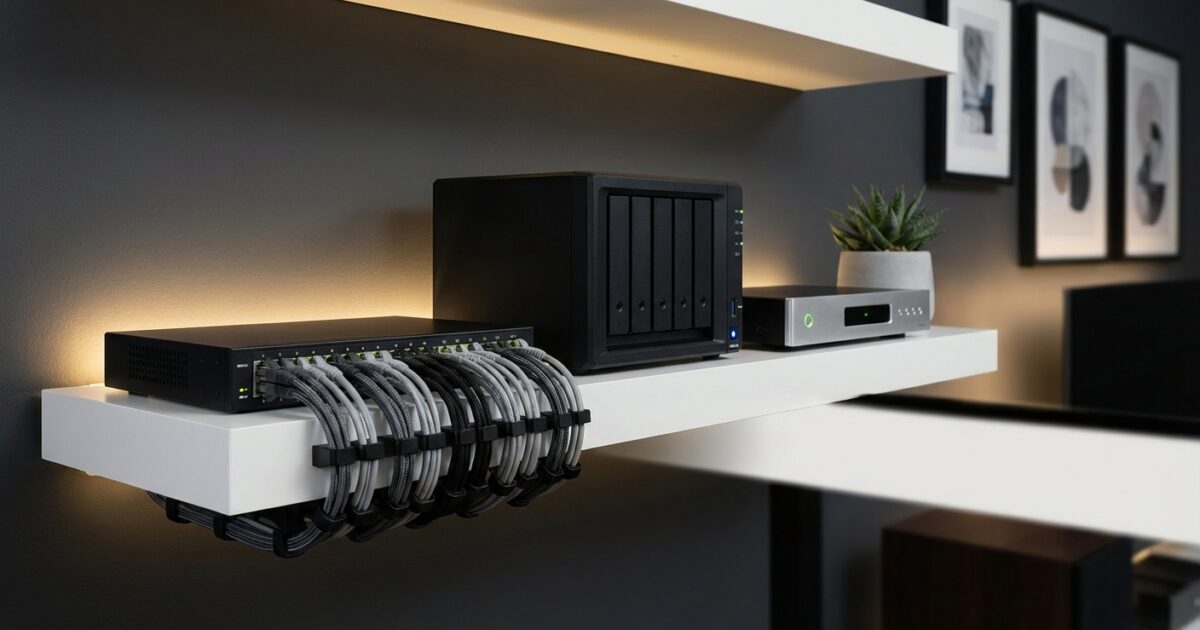
Your new home deserves an entertainment system that matches your vision of the perfect living space. While streaming services offer convenience, a dedicated home media server provides unmatched quality, reliability, and control over your entertainment experience. You’ll enjoy 4K movies without buffering, access your entire media library instantly, and create a system that grows with your needs.
A well-designed home media center becomes more than just entertainment—it’s a valuable home feature that enhances your daily life and potentially increases your property value. Whether you’re setting up your first system or upgrading from basic streaming, this guide will help you create a professional-grade media center tailored to your home.
Understanding Media Server Fundamentals
A home media server acts as the central hub for all your digital entertainment content. Think of it as your personal Netflix, storing movies, TV shows, music, and photos on local hardware that you control completely. Unlike streaming services, your media server provides instant access to content without internet dependency, delivers uncompressed quality, and offers unlimited storage expansion.
The core components include a network-attached storage (NAS) device or dedicated server computer, media players for each viewing location, and a robust home network to connect everything seamlessly. Popular media server software like Plex, Emby, or Jellyfin transforms your stored content into a polished, searchable library with movie posters, episode guides, and streaming-like interfaces.
Media players such as the Zidoo Z20 Pro, Nvidia Shield, or Apple TV connect to your televisions and access content from your server. These devices decode high-resolution video files and provide the interface you’ll use daily to browse and play your media collection.
Choosing the Right Hardware for Your Home
Your hardware selection depends on your home’s size, the number of viewing locations, and your quality expectations. For smaller homes with one or two TVs, a simple two-bay NAS unit like a Synology DS220+ paired with quality media players provides excellent performance without overwhelming complexity.
Larger homes or those planning multiple simultaneous streams need more powerful solutions. A four-bay NAS or dedicated server computer handles transcoding for different devices and maintains smooth performance when several family members watch different content simultaneously. Consider your internet upload speed if you plan to access your media server remotely—faster connections support higher-quality remote streaming.
Storage capacity planning requires honest assessment of your media consumption habits. Start with calculating your current digital library size, then factor in growth over the next few years. A typical 4K movie consumes 25-50 GB of storage, while HD content uses 4-8 GB per movie. Music libraries and photo collections add relatively little compared to video content.
For redundancy and data protection, choose NAS systems supporting RAID configurations. RAID 1 mirrors your data across two drives, providing protection against single drive failures. RAID 5 requires three drives minimum but offers better storage efficiency while maintaining redundancy.
Network Infrastructure Requirements
Your home network foundation determines your media server’s performance ceiling. Gigabit ethernet connections between your server, network switch, and media players ensure smooth 4K playback without compression or buffering. While WiFi 6 supports high-bandwidth media streaming, wired connections provide more consistent performance for demanding content.
Plan your network topology before running cables. Your media server location should connect directly to your main network switch via ethernet. Each media player location needs either ethernet access or strong WiFi coverage. Consider powerline adapters for locations where running ethernet cables proves challenging.
Internet bandwidth affects remote access capabilities rather than local streaming performance. Your media server streams content over your local network at full quality regardless of your internet speed. However, faster upload speeds enable better remote streaming when you’re away from home.
Essential Network Components
Invest in a quality managed network switch to handle multiple high-bandwidth connections. Unmanaged switches work for basic setups, but managed switches allow traffic prioritization and monitoring capabilities that become valuable as your system grows.
Your router should support Quality of Service (QoS) features to prioritize media streaming traffic over other internet activities. This prevents bandwidth-hungry downloads or video calls from interrupting your movie night.
Setting Up Your Media Server Space
Dedicated server space doesn’t require an entire room—a closet, basement corner, or even a sturdy shelf can house your equipment effectively. The key considerations are temperature control, noise management, and accessibility for maintenance.
Ventilation prevents overheating that shortens equipment lifespan and causes performance issues. Ensure adequate airflow around your server and NAS devices, avoiding enclosed cabinets without ventilation. Small computer fans can improve airflow in tight spaces.
Noise levels vary significantly between devices. NAS units typically run quietly enough for living areas, while dedicated server computers may require isolation in utility spaces. Consider your family’s noise tolerance when choosing equipment and locations.
Power management protects your investment and ensures system reliability. Use an uninterruptible power supply (UPS) to protect against power outages and voltage fluctuations. Size your UPS to provide at least 10-15 minutes of runtime, allowing graceful shutdown during extended outages.
Cable Management and Organization
Professional cable management transforms your media center from a tangle of wires into a clean, maintainable system. Start with a plan showing each connection before running any cables. Group power cables separately from data cables to prevent interference, and leave extra length for future adjustments.
Cable runs through walls or conduits create the cleanest installations but require more planning and potentially professional help. Surface-mounted cable raceways offer a compromise between clean appearance and installation simplicity.
Label every cable at both ends with weather-resistant labels describing the connection. This simple step saves hours during troubleshooting or system modifications. Use consistent labeling schemes like “Server-Switch” or “Bedroom-TV” for clarity.
Storage Strategy and Expansion Planning
Your storage strategy should balance current needs with future growth while protecting against data loss. Start with quality drives rated for NAS use—these drives are designed for continuous operation and offer better reliability than standard desktop drives.
Plan for regular capacity expansion by choosing NAS systems with empty bays or upgrade paths. It’s often more economical to add drives to existing systems than replace entire units. However, avoid mixing drive sizes and speeds within RAID arrays for optimal performance.
Backup strategies protect your investment in digital media and ensure system availability. While RAID provides protection against drive failures, it doesn’t protect against user error, malware, or natural disasters. Implement a backup solution using external drives or cloud storage for critical content.
Integration with Smart Home Systems
Modern media servers integrate seamlessly with smart home ecosystems through automation platforms like Home Assistant, SmartThings, or native integration features. You can create scenes that dim lights and start your movie automatically, or schedule content downloads during off-peak hours.
Voice control through Alexa, Google Assistant, or Siri adds convenience to your daily routine. Simple voice commands can start specific shows, adjust volume, or control playback across different rooms without hunting for remote controls.
Smart home integration extends to energy management, automatically powering down idle equipment or adjusting climate control in your media room based on usage patterns.
Adding Value to Your Home
A professionally installed home media center appeals to tech-savvy buyers and adds tangible value to your property. The key lies in creating systems that appear integrated rather than cobbled together, with clean installations and intuitive operation.
Document your system thoroughly, including network diagrams, equipment manuals, and setup instructions. Future owners or service technicians will appreciate comprehensive documentation, and it protects your investment by enabling proper maintenance.
Consider the long-term implications of your choices. Systems using standard protocols and popular software platforms maintain better compatibility and support over time compared to proprietary solutions.
Your home media server represents more than just entertainment technology—it’s an investment in your family’s daily enjoyment and your home’s future value. With proper planning and quality components, you’ll create a system that delivers years of reliable service while adapting to changing technology and needs. The result is cinema-quality entertainment in the comfort of your home, controlled entirely by you and tailored to your family’s preferences.