
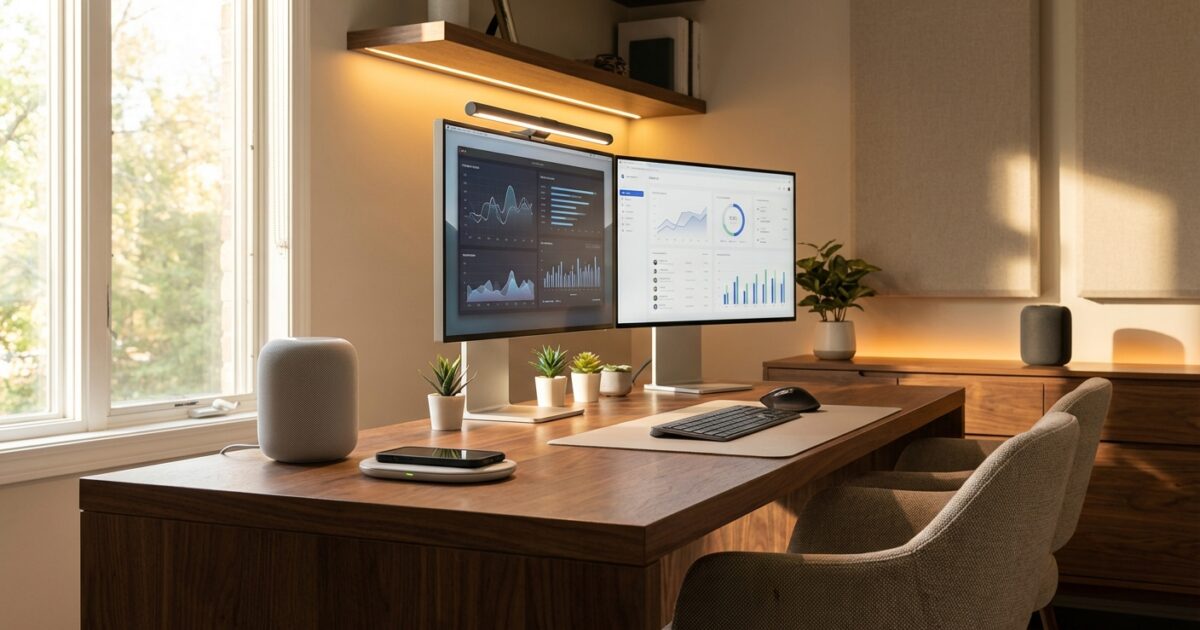
Your home office isn’t just a workspace—it’s an investment in your property’s value and your daily productivity. Smart technology transforms ordinary home offices into sophisticated command centers that respond to your needs, streamline your workflow, and impress potential buyers when it’s time to sell.
Whether you’re a recent home buyer setting up your first dedicated workspace or looking to modernize an existing office, strategic smart upgrades deliver immediate benefits while future-proofing your home. Here are seven smart solutions that strike the perfect balance between functionality and return on investment.
1. Smart Status Indicators: Visual Communication Made Simple
Battery-powered RGB lights serve as your office’s communication hub, instantly signaling your availability to family members without interrupting important calls or deep work sessions. These compact devices mount anywhere and change colors based on your calendar, microphone status, or manual controls.
Productivity benefits: Eliminates interruptions during meetings, creates clear work boundaries, and helps family members understand when you’re available for questions or emergencies.
Installation: Beginner-friendly—simply stick to any surface and connect to your smart home app.
Cost range: $30-80 per light
Platform compatibility: Most models work with Alexa, Google Home, and Apple HomeKit through IFTTT or native integrations.
Property value impact: Demonstrates modern home office functionality and thoughtful smart home integration to potential buyers.
2. Intelligent Lighting Systems
Smart lighting goes beyond simple on-off switches, adapting throughout your workday to reduce eye strain and maintain energy levels. Quality systems adjust color temperature from energizing cool whites during peak productivity hours to warmer tones as evening approaches.
Key features to prioritize:
- Circadian rhythm lighting that automatically adjusts color temperature
- Dimming capabilities for video calls and presentations
- Scene presets for different work modes (focused work, video calls, creative sessions)
- Motion sensors for hands-free operation
Installation: Moderate difficulty—may require basic electrical work for hardwired fixtures, though many plug-in options exist.
Cost range: $150-500 for a complete office lighting system
Platform compatibility: Philips Hue leads in compatibility, while LIFX and Nanoleaf offer strong alternatives across all major platforms.
Property value impact: Professional lighting systems signal attention to detail and create impressive showings during home tours.
3. Automated Climate Control
Smart thermostats and supplemental climate devices maintain optimal working conditions without constant manual adjustments. Advanced systems learn your schedule and preferences, ensuring your office reaches perfect temperature before you arrive and conserves energy when you’re away.
Solutions for different situations:
- Whole-home integration: Smart thermostats like Nest or Ecobee with room sensors
- Dedicated office spaces: Smart mini-split systems or window units
- Temperature fine-tuning: Smart fans and space heaters for supplemental comfort
Installation: Varies from easy (plug-in devices) to professional installation required (HVAC systems)
Cost range: $200-1,200 depending on scope
Platform compatibility: Excellent across all major platforms
Property value impact: Energy efficiency and zoned climate control are highly valued features that appeal to modern buyers.
4. Smart Security and Access Control
Office-specific security solutions protect valuable equipment while providing convenient access control. Smart locks, cameras, and sensors create layers of protection that integrate with your home’s broader security system.
Essential security components:
- Smart locks for office doors (especially valuable for basement or detached offices)
- Indoor security cameras with privacy shutters
- Smart sensors on windows and equipment cabinets
- Motion detectors that distinguish between family members and potential intruders
Installation: Moderate—most smart locks require basic tools, while cameras typically offer wireless installation
Cost range: $300-800 for comprehensive office security
Platform compatibility: Ring, Arlo, and Yale offer broad compatibility, while specialized brands may require dedicated hubs
Property value impact: Integrated security systems consistently rank among top smart home features desired by buyers.
5. Voice Control and Smart Assistants
Voice assistants streamline your workflow by handling routine tasks without interrupting your focus. From controlling other smart devices to managing calendars and setting reminders, hands-free control becomes essential in busy home offices.
Optimal setup strategies:
- Position speakers to avoid interference with video calls
- Create custom voice commands for frequently used device combinations
- Set up different wake words for various assistants to prevent conflicts
- Configure privacy settings for sensitive work environments
Installation: Plug-and-play simplicity
Cost range: $50-200 per device
Platform compatibility: Choose based on your ecosystem preference—Alexa, Google Assistant, or Siri each excel in different areas
Property value impact: Voice control demonstrates modern convenience and appeals to tech-savvy buyers.
6. Smart Power Management
Intelligent power solutions eliminate energy waste while protecting expensive equipment. Smart plugs, surge protectors, and UPS systems provide remote control, scheduling, and monitoring capabilities that extend device lifespan and reduce electricity costs.
Power management hierarchy:
- Essential equipment: UPS systems for computers and networking equipment
- Scheduled devices: Smart plugs for printers, monitors, and desk accessories
- Always-on devices: Smart surge protectors with individual outlet control
Installation: Easy—most solutions simply plug into existing outlets
Cost range: $100-400 for comprehensive power management
Platform compatibility: Universal compatibility across all major smart home platforms
Property value impact: Energy efficiency features resonate with environmentally conscious buyers and demonstrate thoughtful home management.
7. Wireless Charging and Connectivity Hubs
Modern offices require seamless device connectivity and charging solutions. Smart charging stations and connectivity hubs eliminate cable clutter while ensuring your devices stay powered and connected throughout the workday.
Advanced charging solutions:
- Desk-integrated wireless charging pads
- Multi-device charging stations with smart power distribution
- Under-desk mounting systems for clean aesthetics
- USB-C hubs with intelligent device recognition
Installation: Easy to moderate, depending on integration level
Cost range: $80-300 for professional-grade solutions
Platform compatibility: Most charging solutions focus on device compatibility rather than smart home integration
Property value impact: Clean, organized workspaces with hidden technology infrastructure impress potential buyers and suggest attention to detail.
Planning Your Smart Office Setup
Success with smart home office upgrades requires strategic planning that considers your workflow, budget, and long-term goals. Start by identifying your primary pain points—whether that’s temperature control, lighting quality, security concerns, or organizational challenges.
Budget-Friendly Starter Package ($300-500)
Begin with high-impact, low-cost solutions that provide immediate benefits:
- Smart bulbs for existing fixtures ($50-100)
- Voice assistant for basic control ($50-100)
- Smart plugs for device management ($60-120)
- Status indicator lights ($30-80)
- Basic wireless charging pad ($50-100)
Premium Complete System ($1,500-3,000)
Comprehensive upgrades that transform your office into a fully integrated smart workspace:
- Professional lighting system with sensors and color control
- Zoned climate control with smart vents or mini-split system
- Complete security package with cameras and smart locks
- Advanced power management with UPS protection
- Integrated charging and connectivity solutions
Implementation Timeline
Phase your upgrades over 3-6 months to spread costs and learn each system thoroughly. Start with lighting and basic automation, then add security and climate control, finishing with advanced power management and charging solutions.
Maximizing Your Investment
Smart home office upgrades provide immediate productivity benefits while contributing to your property’s resale value. Focus on solutions that integrate well with existing smart home systems and choose devices from established manufacturers with strong platform support.
Document your installations and keep receipts—smart home features increasingly appear in home listings and appraisals. When selling, emphasize the productivity benefits and energy savings these systems provide, as buyers appreciate both convenience and efficiency.
Your smart home office becomes a competitive advantage in today’s remote work environment while serving as a compelling selling point that distinguishes your property from others on the market. Start with one or two key upgrades, experience their benefits, and gradually build the intelligent workspace that enhances both your daily productivity and your home’s long-term value.