
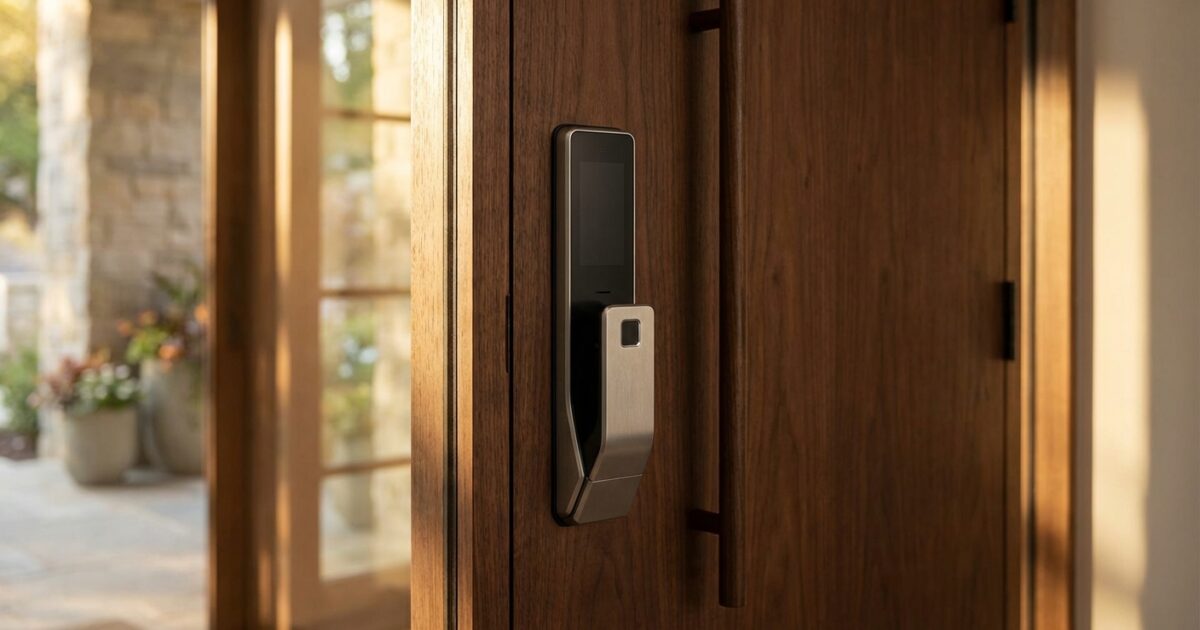
Moving into a new home brings excitement and a long list of upgrades to consider. Among the first changes many homeowners make is replacing traditional locks with smart door locks — and for good reason. Smart locks offer convenience, enhanced security, and the peace of mind that comes with knowing exactly who enters your home and when.
The appeal is obvious: no more fumbling for keys in the dark, no more worrying about spare keys under doormats, and the ability to grant temporary access to contractors or guests without being present. But with dozens of models available and features ranging from basic keypad entry to advanced biometric scanning, choosing your first smart lock can feel overwhelming.
Why Smart Locks Make Sense for New Homeowners
New homeowners often prioritize smart locks because they solve immediate practical concerns. You don’t know how many spare keys the previous owners distributed or who might still have copies. Installing a smart lock immediately secures your home with fresh access codes and eliminates the unknown factor of existing key distribution.
Smart locks also grow with your needs. Start with basic keypad entry, then add smartphone integration, voice control, or home automation features as you expand your smart home ecosystem. This scalability makes them an ideal first smart home purchase that won’t become obsolete as you add other connected devices.
Essential Features to Evaluate
Key Override Options
Despite the “smart” designation, you’ll want a lock that still accepts a physical key as backup. Look for models that retain your existing deadbolt’s key cylinder or provide a new set of physical keys. This backup access proves invaluable during power outages, technical glitches, or situations where you need to provide traditional key access to trusted individuals.
Some smart locks hide the key override behind a removable cover or sliding panel to maintain the lock’s sleek appearance while preserving backup functionality.
Biometric Access Methods
Fingerprint scanning represents the most common biometric feature in residential smart locks. Modern fingerprint sensors can store multiple prints for each household member and typically recognize authorized prints in under a second. Look for locks that can store at least 50-100 fingerprints to accommodate family members, frequent guests, and service providers.
Palm recognition technology is emerging in higher-end models, offering even faster recognition and the ability to work with wet or slightly dirty hands — a practical advantage when carrying groceries or returning from outdoor activities.
Smart Device Integration
Consider how the lock will integrate with your existing devices and preferences. Amazon Alexa compatibility allows voice commands like “Alexa, lock the front door” and enables integration with Alexa routines. Apple HomeKit support provides secure integration with iOS devices and Siri voice control, while ensuring all communications remain encrypted and private.
Smartwatch compatibility adds another layer of convenience, letting you unlock your door directly from your wrist. This feature proves particularly useful when your hands are full or you’re approaching the door from a distance.
Power and Battery Considerations
Smart locks typically run on batteries, but power management varies significantly between models. Standard AA batteries might last 6-12 months depending on usage, while rechargeable lithium batteries often provide longer life but require periodic charging.
Look for locks with low-battery warnings that alert you through the companion app when power runs low. Some models include emergency charging ports that let you power the lock temporarily using a portable battery pack if the internal battery dies unexpectedly.
Additional Premium Features
Built-in screens on smart locks display the time, weather, or custom messages, though these features typically drain batteries faster. Some models include built-in cameras for video verification of visitors, while others offer two-way audio communication.
Consider whether these premium features align with your actual needs or if a simpler model would serve you better long-term.
Apple Ecosystem Compatibility
Apple users should prioritize locks with native HomeKit support for the most seamless integration. HomeKit-enabled locks work directly with the Apple Home app without requiring separate manufacturer apps for basic functions. You can create automation scenes, set up geofencing to automatically lock or unlock based on your location, and control the lock through Siri voice commands.
HomeKit also provides enhanced privacy protections, as all communications between your devices and the lock remain encrypted and process locally rather than through external servers when possible.
Smart Lock Recommendations by Budget
Budget-Friendly Options ($100-200)
Entry-level smart locks typically offer keypad entry, smartphone app control, and basic integration with major smart home platforms. These models usually rely on standard AA batteries and provide 6-12 months of battery life. While they may lack premium features like biometric scanning, they deliver reliable smart lock functionality at an accessible price point.
Mid-Range Models ($200-350)
Mid-tier locks often add fingerprint scanning, improved battery life, and more robust smart home integration. You’ll typically find better build quality, weather resistance, and more sophisticated companion apps that provide detailed access logs and user management features.
Premium Options ($350+)
High-end smart locks frequently include multiple biometric options, built-in displays, advanced security features, and premium materials. These models may offer features like automatic locking based on proximity, advanced scheduling options, and integration with professional security systems.
Installation Considerations
Most smart locks install using your door’s existing holes, making them suitable for DIY installation with basic tools. Before purchasing, measure your door’s backset (the distance from the door edge to the center of the existing deadbolt hole) and cross-reference this with your chosen lock’s specifications.
Standard backset measurements are 2-3/8 inches or 2-3/4 inches, but verify your specific measurement to ensure proper fit. Also check your door thickness, as some smart locks accommodate only doors within specific thickness ranges.
Security Best Practices
Enable two-factor authentication on your lock’s companion app and use a strong, unique password. Regularly update the lock’s firmware when prompted, as manufacturers frequently release security patches and feature improvements.
Create unique access codes for different users rather than sharing a single code among household members. This practice allows you to track who enters your home and provides the flexibility to revoke access for specific individuals without affecting others.
Set up automatic locking features to ensure your door locks after a specified period, even if you forget to lock it manually. Most smart locks allow you to customize this delay from 30 seconds to several minutes based on your preferences.
Making Your Decision
Create a simple checklist of your must-have features versus nice-to-have options. Consider your budget, existing smart home devices, and household members’ comfort level with technology. A lock with too many complex features may go unused, while one lacking essential features will frustrate daily use.
Think about your long-term plans as well. If you expect to expand your smart home system, investing in a lock with broader compatibility may prove worthwhile even if it initially offers more features than you need.
Test the companion app before finalizing your purchase if possible. User interface design varies significantly between manufacturers, and you’ll interact with this app regularly for management tasks. A poorly designed app can make even feature-rich locks frustrating to use.
Smart locks represent one of the most practical and immediately beneficial smart home upgrades you can make. By focusing on the features that match your specific needs and ensuring compatibility with your existing technology, you’ll choose a lock that enhances your home’s security while providing years of convenient, reliable service.