
When lightning fried your old hardwired security system or age finally caught up with those decades-old sensors, you might assume you’re facing a hefty professional installation bill. But here’s what many homeowners are discovering: modern DIY smart security systems often outperform traditional monitored systems while costing significantly less.
Take the recent Reddit success story that’s been making rounds in home security forums. A homeowner replaced their lightning-damaged system with a DIY smart setup for under $800, gaining features their old system never had: smartphone alerts, video integration, voice control, and the ability to monitor remotely without monthly fees. The transformation took a weekend and delivered capabilities that would have cost thousands through traditional security companies.
Why DIY Smart Security Makes Sense Today
Modern DIY security systems have evolved far beyond basic door sensors and loud sirens. Today’s smart security ecosystems offer sophisticated features that rival or exceed professional systems, often at a fraction of the cost.
You’ll gain complete control over your security setup without being locked into monitoring contracts or proprietary equipment. When you own the system outright, you can customize it exactly to your needs, integrate it with other smart home devices, and expand it over time without vendor restrictions.
The technology has also become remarkably user-friendly. Where DIY security once required extensive technical knowledge, today’s systems often work through intuitive smartphone apps and voice commands. Many components connect wirelessly, eliminating much of the complex wiring that deterred homeowners in the past.
Understanding System Components
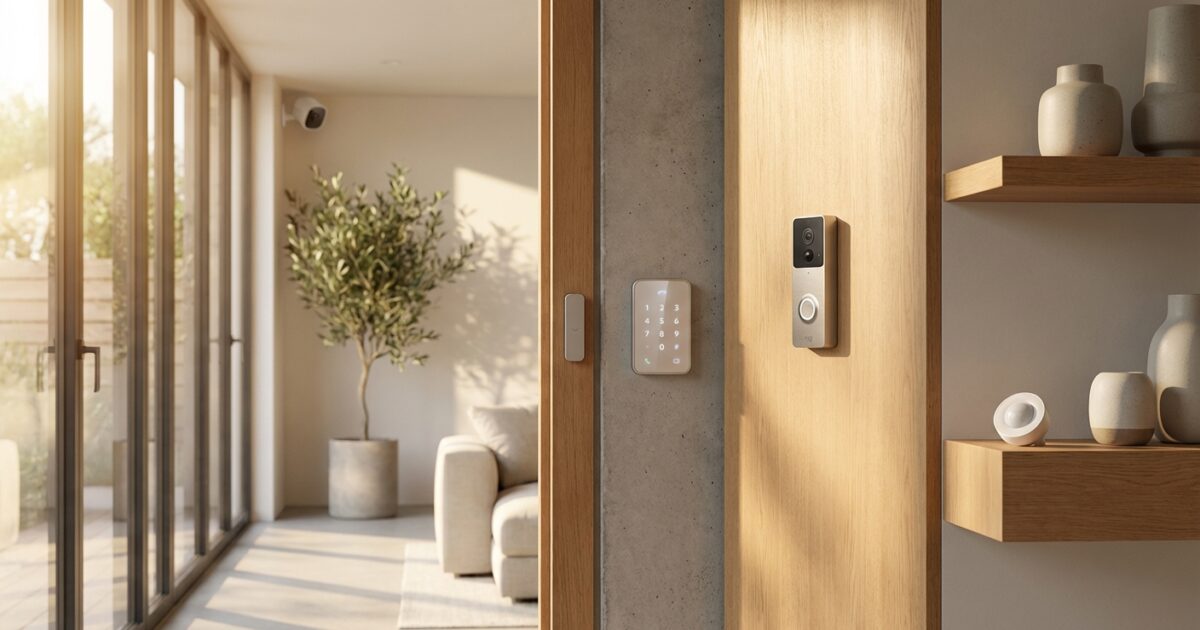
A comprehensive DIY security system consists of several key components that work together to protect your home. Understanding these elements helps you plan an effective system within your budget.
Smart Hub or Controller: This central brain coordinates all your security devices. Popular options include dedicated security hubs like Ring Alarm or SmartThings, or more advanced platforms like Home Assistant that offer extensive customization. The hub processes signals from sensors, triggers alarms, and sends notifications to your devices.
Door and Window Sensors: These detect when entry points are opened. Modern wireless sensors are tiny, reliable, and can last years on a single battery. You’ll want sensors on all ground-floor doors and windows, plus any upstairs windows accessible from porches or balconies.
Motion Detectors: Interior motion sensors create additional security layers and can trigger cameras or lights. Pet-immune models prevent false alarms from animals while still detecting human movement.
Security Cameras: Today’s smart cameras offer features unimaginable in older systems: high-definition recording, night vision, two-way audio, and intelligent alerts that distinguish between people, animals, and vehicles. You can monitor feeds remotely and receive instant notifications of suspicious activity.
Smart Keypads and Controls: Wall-mounted keypads provide traditional arm/disarm functionality, while smartphone apps offer remote control from anywhere. Many systems also integrate with smart speakers for voice control.
Sirens and Alerts: Modern systems can trigger local sirens, send smartphone notifications, activate lights, and even call designated contacts automatically. You’re not limited to a single loud siren anymore.
Cost Comparison and Budgeting
The financial advantages of DIY security become clear when you compare total costs over time. A professionally installed and monitored system typically requires $500-1500 in equipment, $200-500 in installation fees, and $20-60 monthly monitoring charges. Over five years, you’re looking at $2,400-4,200 in total costs.
A comparable DIY system might cost $300-1,200 in equipment with no installation fees and optional monitoring services starting around $10 monthly. Your five-year total could be as low as $900, leaving you with a system you own outright.
Start with essential components and expand gradually. A basic setup might include a hub ($100-300), door/window sensors ($20-40 each), motion detectors ($30-60 each), and a keypad ($50-100). You can add cameras, smart locks, and additional sensors as your budget allows.
Skill Level and Planning Requirements
Most DIY security installations require basic technical comfort rather than advanced expertise. If you can install smartphone apps, connect devices to WiFi, and follow step-by-step instructions, you can likely handle a DIY security system.
The planning phase proves more critical than technical skills. Start by conducting a security assessment of your home. Walk around your property noting all entry points, considering sight lines for cameras, and identifying areas where motion sensors would be most effective.
Create a floor plan marking sensor locations, considering both security coverage and family convenience. Think about daily routines: where do family members enter most often? Which areas need monitoring when you’re away versus when you’re sleeping?
Research your chosen system thoroughly before purchasing. Read user manuals, watch installation videos, and check compatibility between components. Many manufacturers offer extensive online resources and customer support to guide DIY installers.
Choosing the Right Hardware Platform
Your choice of security platform affects everything from installation complexity to long-term flexibility. Consider your technical comfort level, budget, and expansion plans when selecting a system.
All-in-One Systems: Brands like Ring, SimpliSafe, or ADT Self Setup offer complete ecosystems with matching components. These systems prioritize ease of use and quick setup but may limit your hardware choices and customization options.
Flexible Smart Home Platforms: Systems like SmartThings or Hubitat support devices from multiple manufacturers, offering greater flexibility and often better long-term value. You can mix and match components based on performance and price rather than brand loyalty.
Advanced Open-Source Solutions: Platforms like Home Assistant provide maximum customization and control but require more technical knowledge. These systems excel for tech-savvy homeowners who want professional-grade features and complete data privacy.
Consider your internet infrastructure as well. Most modern security systems require reliable broadband internet and strong WiFi coverage throughout your home. You might need to upgrade your router or add WiFi extenders to ensure consistent connectivity.
Integration and Smart Home Connectivity
One of the greatest advantages of DIY smart security lies in integration possibilities. Your security system can work seamlessly with other smart home devices, creating automation that enhances both security and convenience.
Integrate security cameras with smart doorbells to see and speak with visitors remotely. Connect motion sensors to smart lights that illuminate pathways automatically. Program smart locks to secure doors when the security system arms, or to unlock automatically when family members arrive home.
Voice integration adds another convenience layer. You can check system status, arm or disarm security, and even view camera feeds using voice commands through smart speakers.
Consider how your security system might work with existing smart devices. If you already have smart thermostats, lights, or locks, choose a security platform that integrates well with your current ecosystem.
Monitoring Options and Professional Services
DIY doesn’t mean you’re entirely on your own for monitoring. Several options provide professional oversight while maintaining the cost savings and flexibility of self-installed systems.
Self-monitoring through smartphone apps puts you in complete control. You receive all alerts directly and decide how to respond. This approach costs nothing beyond your initial equipment investment but requires you to be available and responsive to notifications.
Optional professional monitoring services work with many DIY systems at a fraction of traditional monitoring costs. Companies like Noonlight or Ring’s monitoring service will contact emergency services when triggered, typically for $10-20 monthly.
Some platforms offer hybrid approaches where you receive immediate notifications but professionals also monitor your system during specified hours or when you’re traveling.
Addressing Reliability and Insurance Concerns
Homeowners often worry whether DIY systems provide adequate reliability for insurance purposes. Most insurance companies care more about having a functioning security system than whether it’s professionally installed, but check with your insurer about specific requirements.
Many DIY systems now include cellular backup options that maintain connectivity even if your internet fails. Battery backup systems keep sensors active during power outages. These features address the reliability concerns that once favored hardwired professional systems.
Document your installation thoroughly, including component warranties and system capabilities. This documentation helps with insurance claims and proves your system meets security standards.
When to Choose Professional Installation
While DIY security works well for many homes, certain situations call for professional expertise. If your home requires extensive hardwired connections, has complex electrical systems, or needs integration with existing building automation, professional installation might prove more cost-effective.
Homes with challenging WiFi coverage, multiple buildings, or unusual architectural features might benefit from professional design and installation. Similarly, if you’re uncomfortable with technology or lack time for system setup and maintenance, paying for professional service could be worthwhile.
Some insurance companies or local regulations require professional installation for certain discounts or compliance. Research these requirements before committing to DIY installation.
Getting Started Safely and Expanding Over Time
Begin with a modest system covering essential entry points and high-priority areas. This approach allows you to learn the system without overwhelming complexity or expense. Start with door sensors on main entrances, a motion detector in a central hallway, and basic smartphone monitoring.
Test your initial setup thoroughly before relying on it completely. Verify that all sensors trigger properly, notifications reach your devices reliably, and you understand how to arm and disarm the system in various scenarios.
Plan expansion systematically rather than purchasing everything at once. Add window sensors room by room, install cameras at key outdoor locations, and integrate smart locks as budget allows. This gradual approach spreads costs over time while letting you refine the system based on actual usage patterns.
Keep detailed records of your installation, including device locations, battery replacement schedules, and system configurations. Regular maintenance ensures reliable operation and helps you troubleshoot issues quickly.
Your failed traditional security system doesn’t have to mean starting over with another expensive professional installation. Modern DIY alternatives offer superior features, lower costs, and the satisfaction of creating a custom security solution perfectly suited to your home and lifestyle. With careful planning and gradual implementation, you’ll likely wonder why you waited so long to make the switch.